
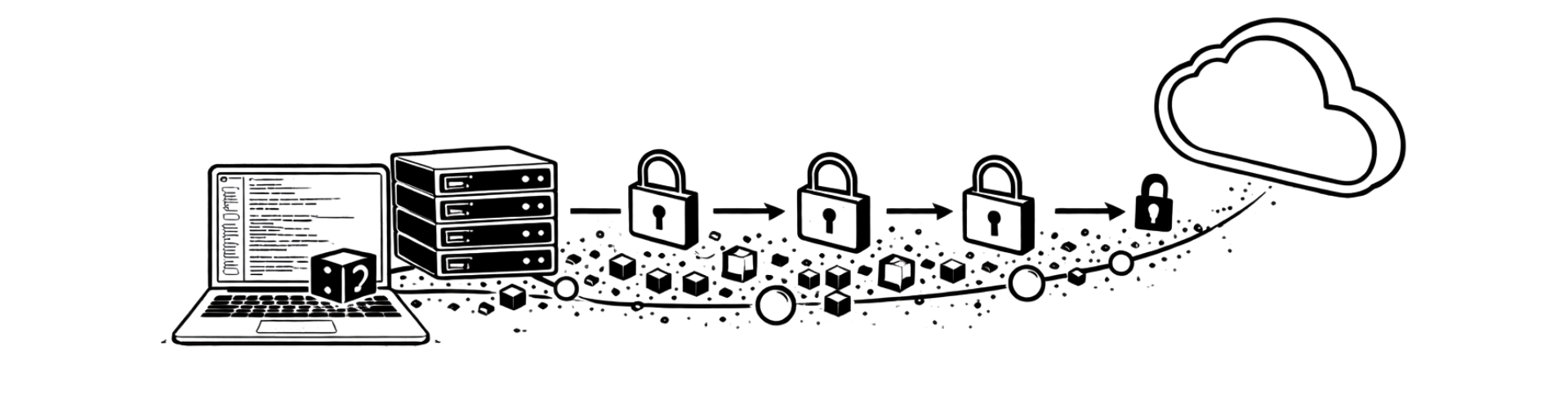
Every year, businesses lose millions from ransomware attacks, theft, and disasters that destroy unprotected data. The harsh reality: 94% of ransomware attacks specifically target backup systems, and companies without encrypted cloud storage face 50% higher breach costs. Your important files, databases, and documents deserve an additional layer of protection that works automatically, without requiring constant attention. Optanex Backup Service keeps your files safe by using advanced security and privacy measures to protect your stored data from unauthorized access.
Optanex Backup Service delivers the solution small and medium businesses need—fully automatic encrypted backup that keeps your data safe on Amazon Web Services with 99.9% availability. With AES 256-bit encryption applied before your files ever leave your computer, we encrypt your data at the source to ensure maximum protection. As a user, you maintain complete control over your encryption password, ensuring only you can access and decrypt your files. This means true zero-knowledge security where your business data remains accessible only to you. Additionally, using strong encryption helps your organization meet regulatory requirements such as HIPAA or GDPR for data protection in sensitive industries.
You can perform full and differential SQL backups, and the integration plugin runs seamlessly in the background as a service, never interrupting or shutting down the SQL databases. It takes minutes to configure the MS SQL backup job, once completed, backups will run automatically. You can even run multiple SQL backups per day without interrupting your database’s normal workflow.
Optanex Backup Service is completely automatic, once the software is installed, you will create a backup set. The backup set is the list of files that you want to back up along with the schedule of when you want the backups to occur. You do not have to select each and every file that you wish to protect because the software includes wizards that make it effortless to choose the files for your backup set. You can also manually run a backup at any time.
Optanex Backup Service allows you to select multiple folders, local files, and network files, and exclude certain folders; so, once you’ve selected what to back up, you’ll decide the backup scheduling and how many versions to keep.

If you want even more assurance that your backups are functioning, you can receive automatic email notifications about your backups. You can turn this option on and off, whenever you want, from the software or by managing your account from the platform.
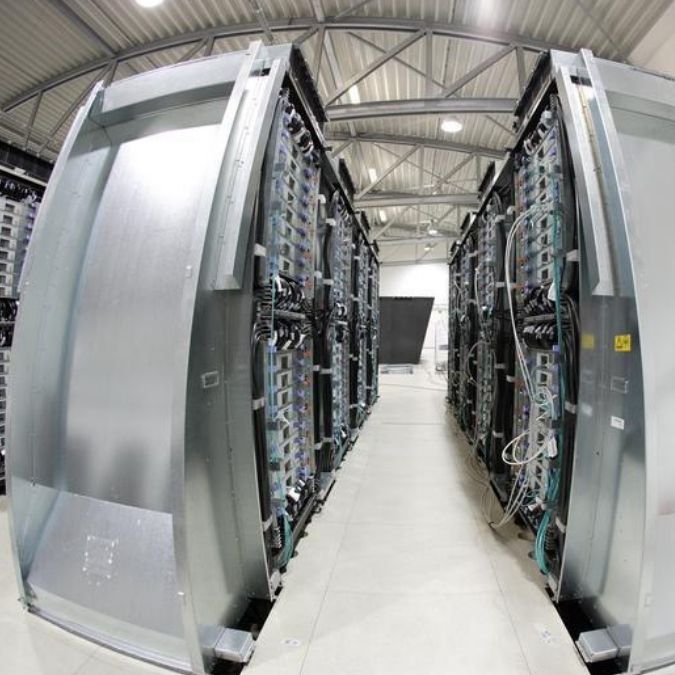
With the same license, you can perform on-premises backup and off-site backup. With off-site backup, Optanex Backup will prevent data loss in the event of a natural or man-made disaster such as fire or theft. Optanex Backup stores your backup data on an Amazon Web Server (AWS), located in Europe with an availability rating of over 99.9%.

Optanex Backup lets you choose to encrypt your backup data before transferring them to the data centre. If you choose to do so, your data will be unreadable by anybody other than you. Be aware: encryption is AES 256-bit, so please keep your encryption password safe, we cannot help you restore your data if you lose it.
Optanex Backup Service is available for unlimited cloud storage, so you will never run out of storage space.
Restore files when you want, as often as you want.
You can retrieve individual files, entire folders, whole servers or single databases. To restore individual items, you can log in to the Optanex Backup software client or Online Portal and choose the data that you would like to restore. The data will then be downloaded, decrypted, and then restored to the original location or another specified location on the system.
In the event of a complete system failure, a full data recovery can be initiated in just minutes. The recovery procedure can be performed on any computer — not just the computer where the data was originally backed up.

Image backups from Optanex Backup enable customers to safeguard their physical machines from business continuity threats, such as accidental file deletion, hardware failure, or natural disasters. Optanex Backup allows you to back up entire servers, desktops, or laptops as images and restore data to the same or a different physical machine. You can also recover dissimilar hardware (a replacement machine with a different hardware configuration than the original machine) subject to total system failure.
Our Point-in-Time Restore feature allows you to recover to a point in time at the volume level of the restore, allowing for a large degree of flexibility in the event that your systems are impacted by data corruption or viruses. For example, you can choose to recover your Boot Volume from the most recent backup while recovering your data volume from a backup a week ago.
With Optanex Backup you can store an unlimited number of versions of the same file. So, if you have certain files or databases that are updated every day or every week, you can always go back to a previous version if you need to: Go back to yesterday, to last month, etc…
Plus, you never again have to worry about accidentally deleting the information in a file or overwriting a file by mistake. Optanex Backup offers a powerful revision rule wizard that lets you manage how old versions of files are stored. You can set the number of revisions for each file, folder, program, or wildcard.


Optanex Backup’s unique pricing is based on your data storage, not backup space.
This makes it easier for you to estimate your online backup service price, you will not have to worry about backup revisions, plans, or versions. As our pricing is based solely on your total data space to protect, not on how many backup sets you create, it’s a fair use policy, as we expect it won’t be misused. For example: if you have an MS SQL database of 100 GB of data, you would purchase a 100 GB backup plan, and that’s it.
Try our Optanex Backup Service calculator now.
Get a quote now, pay via bank transfer, and you’ll receive the initial credentials to activate the software and to access to the online portal. Installation is simple, you’ll be guided through a step-by-step wizard. Here we offer a quick quote calculator, if you have many clients and servers to back up, feel free to ask us for a detailed quote, so you can save money!
